
Token-mapped
Every Chrome color key traces back to a named VS Code token. No hand-tuned guesses — if the VS Code theme changes, the sync script updates the manifest.
Chrome browser theme
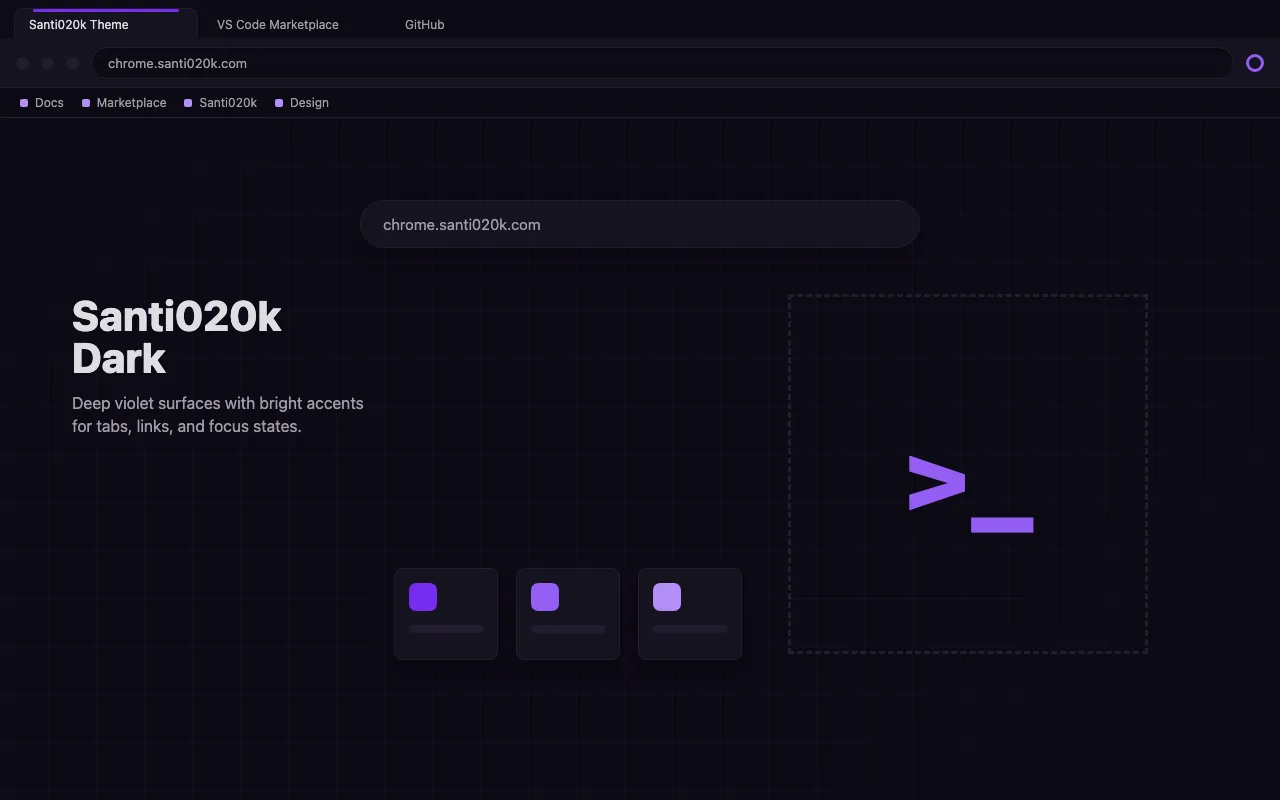
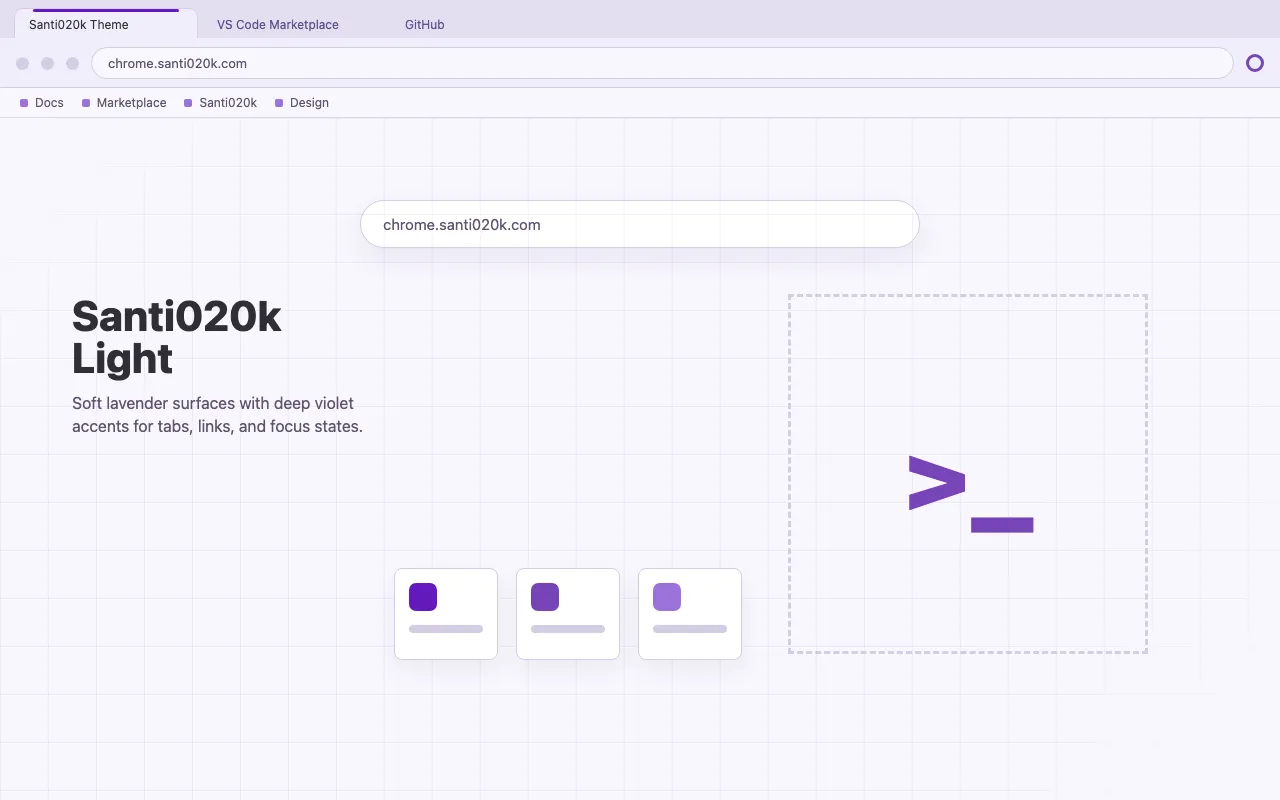
Familiar violet from the first tab to the next idea. Light and dark themes bring the same quiet palette to your toolbar, tabs, and New Tab page.
Available on the Chrome Web Store. Choose dark or light to install in desktop Chrome.
Preview
The same token-level precision as the VS Code theme — no approximations, no guesswork.
Philosophy
The Chrome theme is not a port — it is the same palette, mapped with the same token discipline as the VS Code extension.
Every Chrome color key traces back to a named VS Code token. No hand-tuned guesses — if the VS Code theme changes, the sync script updates the manifest.
Themes ship as declarative JSON — no content scripts, no background workers, no host permissions. Zero attack surface. The extension can be audited in under a minute.
Incognito windows get a dedicated, slightly deeper frame variant rather than the same color as normal mode. This dark privacy signature is maintained even when using the light theme for visual consistency.
Every color decision is documented in manifest.json. Fork it, adjust a token, reload unpacked — no build step needed.
Palette
Colors from the Chrome theme. Switch the page appearance to explore light and dark, and open any swatch for its color codes.
frameThe outer window and inactive tab area.
#0D0A15#E3DFF0rgb(13 10 21)rgb(227 223 240)hsl(256.4 35.5% 6.1%)hsl(254.1 36.2% 90.8%)toolbarThe active tab and browser controls.
#151221#F0EDF9rgb(21 18 33)rgb(240 237 249)hsl(252 29.4% 10%)hsl(255 50% 95.3%)ntp_backgroundA quiet canvas behind your shortcuts.
#0D0A15#F8F6FDrgb(13 10 21)rgb(248 246 253)hsl(256.4 35.5% 6.1%)hsl(257.1 63.6% 97.8%)tab_lineThe violet line that marks your active tab.
#752DF0#6319BErgb(117 45 240)rgb(99 25 190)hsl(262.2 86.7% 55.9%)hsl(266.9 76.7% 42.2%)ntp_linkInteractive text on the New Tab page.
#945DF4#6319BErgb(148 93 244)rgb(99 25 190)hsl(261.9 87.3% 66.1%)hsl(266.9 76.7% 42.2%)ntp_section_linkSupporting links within page sections.
#B48DF7#7730B8rgb(180 141 247)rgb(119 48 184)hsl(262.1 86.9% 76.1%)hsl(271.3 58.6% 45.5%)tab_textReadable labels on the active tab.
#DFDDE3#302E36rgb(223 221 227)rgb(48 46 54)hsl(260 9.7% 87.8%)hsl(255 8% 19.6%)tab_background_textQuieter labels on background tabs.
#A19DA8#604C8Argb(161 157 168)rgb(96 76 138)hsl(261.8 5.9% 63.7%)hsl(259.4 29% 42%)Install
Two published themes. Install your preferred appearance from the Chrome Web Store.
Dark surfaces and lavender text across your tabs, toolbar, and New Tab page.
Install dark themeLight surfaces and deep violet accents with the same coordinated palette.
Install light themeOpen either listing in desktop Chrome and select Add to Chrome. To switch appearances, install the other theme.
Developing the theme? Follow the local development guide to prepare either variant for unpacked testing.